AI meal plans that fit your macros, not the other way around.

Set your calorie and macro goals and the foods you want included or left out. MealGen AI builds a seven-day meal plan around them, adds up the grocery list, and keeps count as you log food and water.

Coming Soon See how it works

For iPhone · iOS 17 or later · Free food and water logging · AI meal plans with Premium

7-day
meal plans
1 list
for the whole week
Health
Apple Health sync
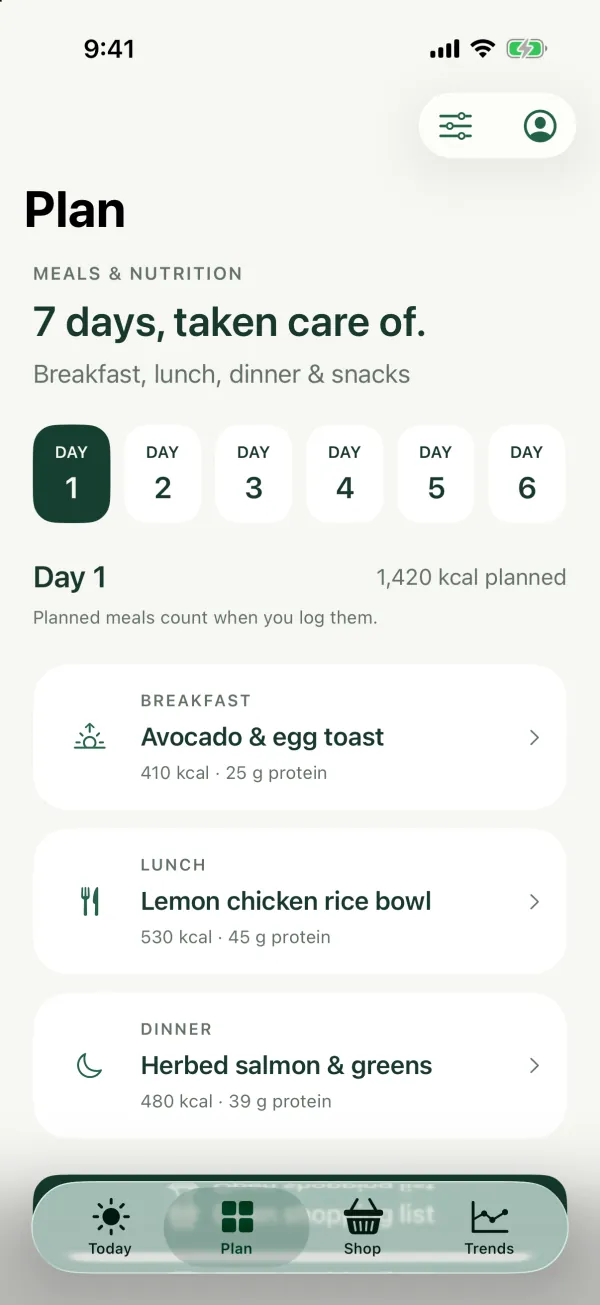
The MealGen AI Plan tab showing day 1 of a seven-day meal plan: avocado and egg toast for breakfast, a lemon chicken rice bowl for lunch, and herbed salmon with greens for dinner
One grocery list Ingredients from all seven days, grouped by aisle
Label scan · Premium Log nutrition from a label photo

Everything between “what should I eat?” and dinner.

Planning, shopping, logging, and tracking live in one iPhone app, so the plan you make is the plan you shop for and the meals you log.

01

Seven-day meal plans built around your goals

Set custom calorie, protein, carb, fat, and fiber goals, or start from automatic goals based on your latest Apple Health weight. Choose foods to include or leave out, then generate a seven-day plan with breakfast, lunch, and dinner each day. AI meal plans are part of Premium.

  • Custom macro goals
  • Include / exclude foods
  • Breakfast, lunch & dinner
02

A grocery list from your meal plan

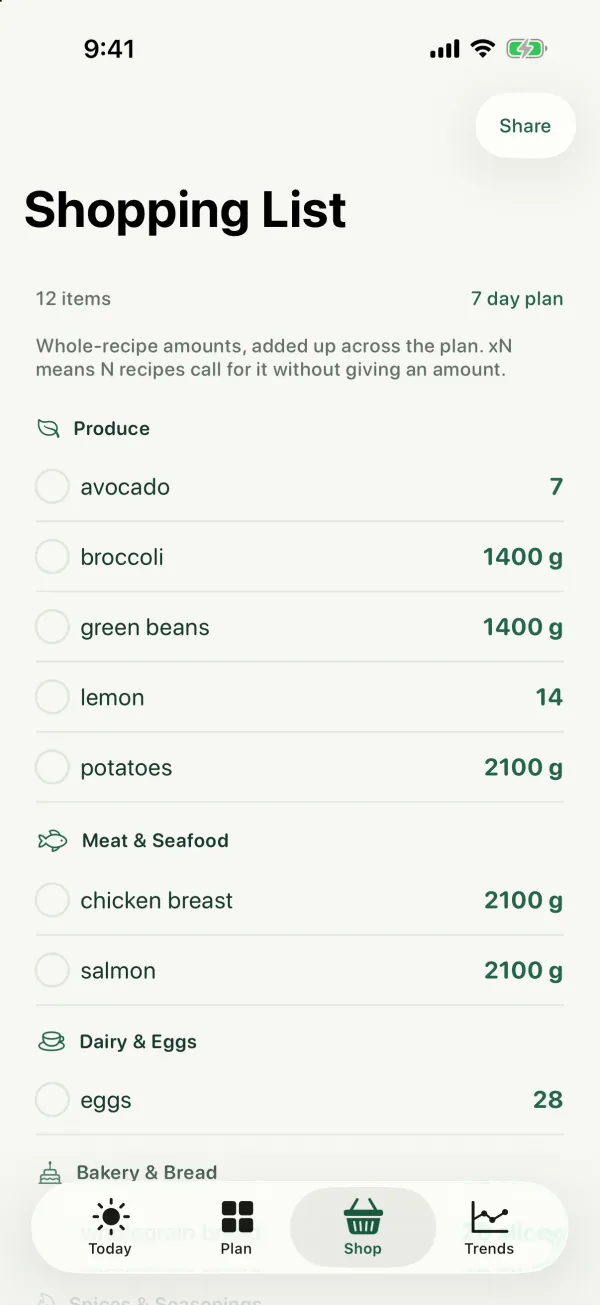
MealGen AI adds up the ingredients from all seven days into one shopping list, grouped by aisle. Check items off as you shop, or share the list to Messages, Notes, or anywhere else.

03

Calorie and macro tracking by search, barcode, or label photo

Search US foods (USDA) and world foods (Open Food Facts), look up a barcode, or enter food by hand, all free. Premium adds AI nutrition label scanning from a photo. Adjust servings before you save, and log planned meals in one tap.

04

Nutrition trends you can actually read

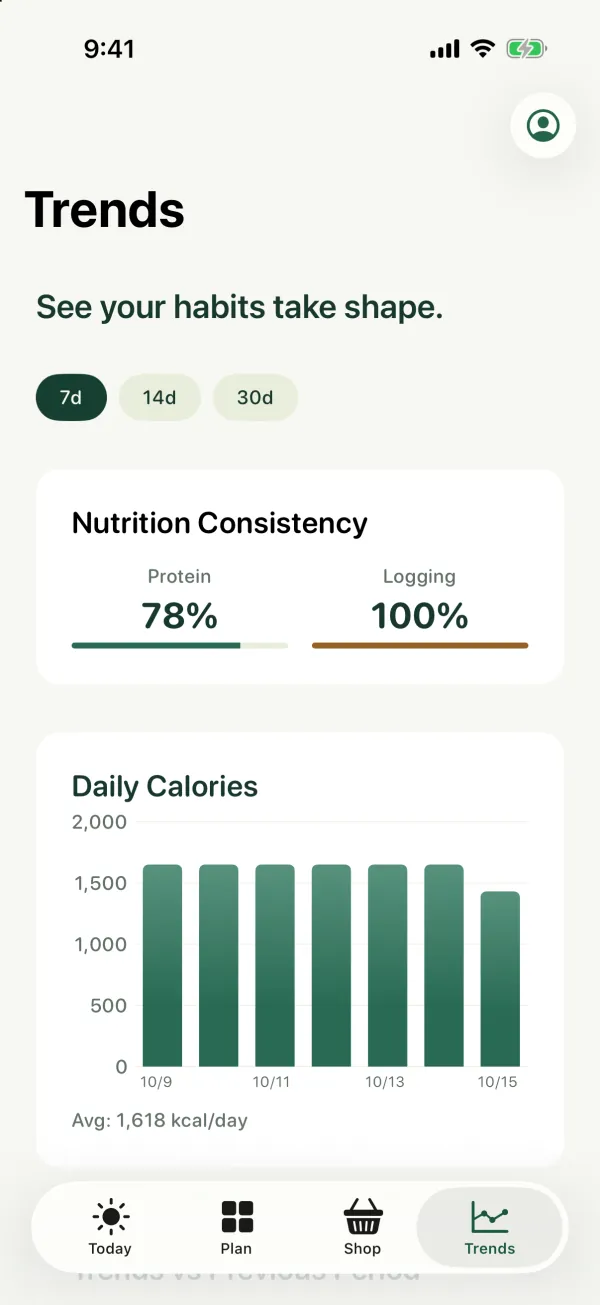
The Trends tab shows today’s calories, protein, fiber, and water for free. Premium adds 7, 14, and 30-day calorie charts, macro ratios, logging consistency, and hydration summaries.

  • Daily goals
  • 7–30 day trends with Premium
  • Hydration

From goals to grocery list in three steps.

  1. 1

    Set your goals

    Enter your calorie, protein, carb, fat, and fiber goals, or let automatic goals start from your weight. Change them any time from Today → Goals.

  2. 2

    Generate your week

    Choose foods to include or leave out, generate a seven-day plan, and review per-meal and daily nutrition. Not quite right? Adjust your preferences and generate a new plan.

  3. 3

    Shop, cook, log

    Take the combined list to the store, then log meals as you eat them. Logged calories, protein, carbs, and fat can sync to Apple Health, and every entry rolls into Trends.

A closer look at the app.

Screens from the MealGen AI iPhone app, shown with sample meals and nutrition data.

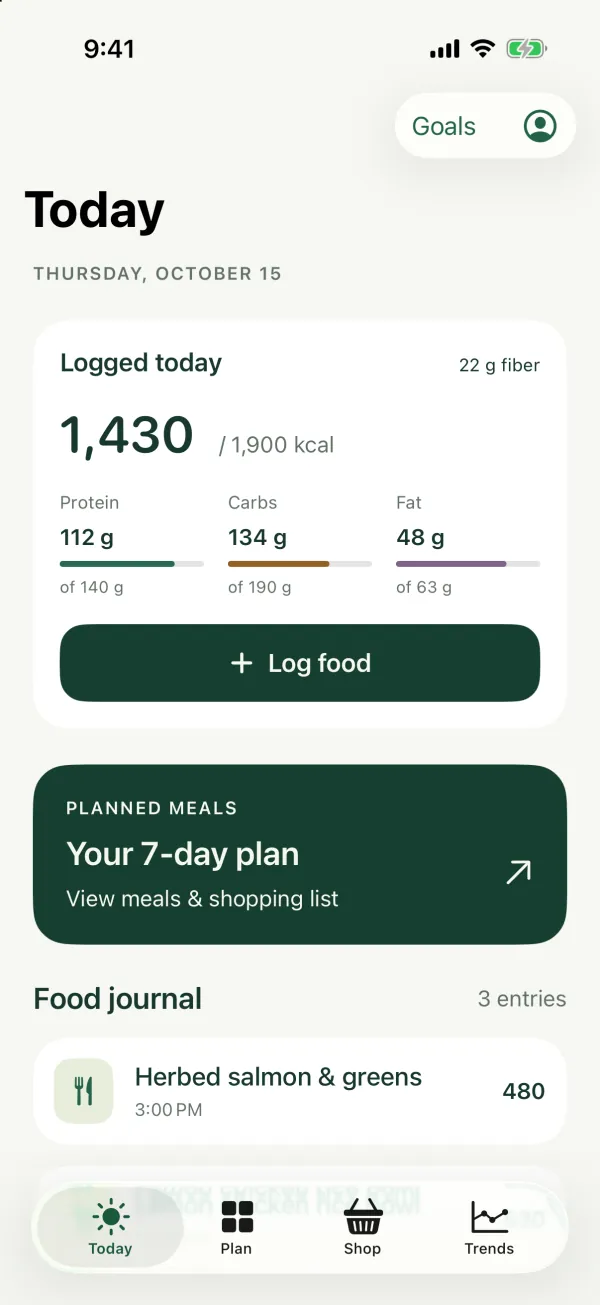
The Today tab: 1,430 of 1,900 calories logged, with protein, carb, and fat progress bars and a food journal
Today. Log food and water against your daily goals.
The shopping list for a seven-day plan, with ingredients and amounts grouped into produce, meat and seafood, and dairy and eggs
Shop. One grocery list for the whole week.
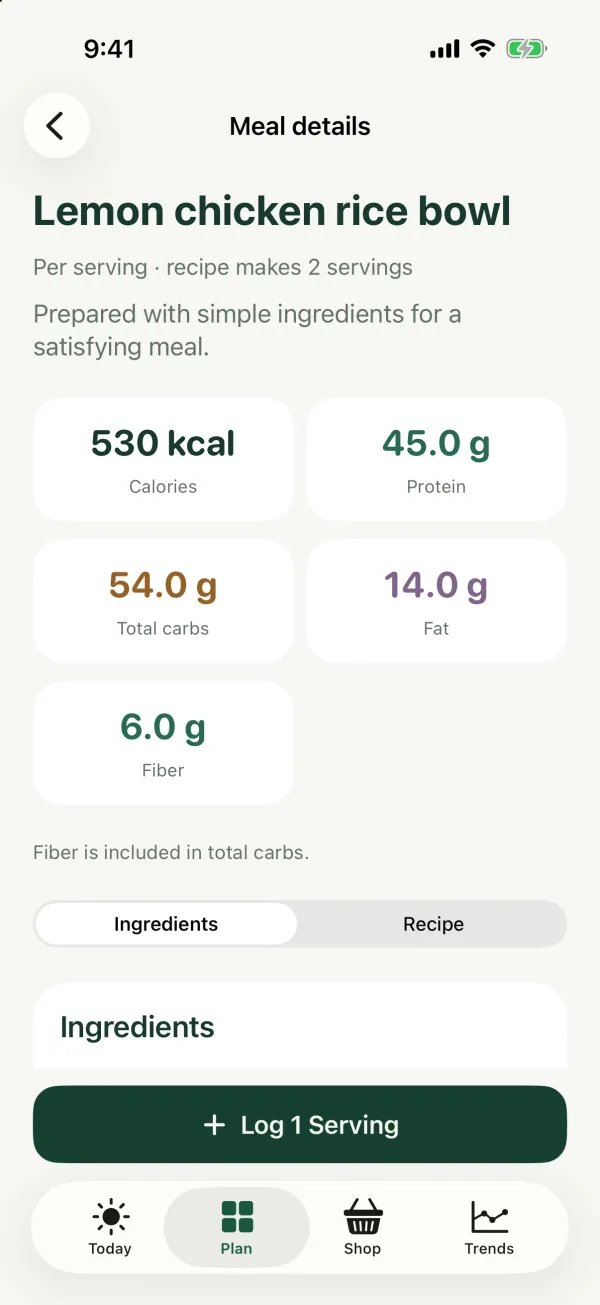
Meal details for a lemon chicken rice bowl: 530 calories, 45 grams of protein, 54 grams of carbs, 14 grams of fat, and 6 grams of fiber per serving
Meal details. Nutrition and ingredients for every recipe.
The Trends tab with a 7-day view of protein and logging consistency and a chart of daily calories
Trends. 7, 14, and 30-day history with Premium.

Clear nutrition numbers, without the clutter.

Each meal and each day shows calories, protein, carbs, fat, and fiber against your goals, with missing meals called out clearly. When a value is estimated, MealGen AI says so instead of pretending to be exact.

  • Per-meal and daily summaries with serving adjustments
  • Custom macro goals and a daily water goal
  • Apple Health writes for logged calories and macros
  • 7, 14, and 30-day trends with Premium
Coming Soon
Example day1,965 / 2,200 kcal
Protein · 158g
88%
Carbs · 210g
76%
Fat · 64g
69%
Fiber · 28g
93%
Water · 1.8L
72%

Dinner is still open. Your plan has salmon and greens ready to log.

What’s free, and what Premium adds.

Food logging and daily goals are free. MealGen AI Premium, a monthly or annual subscription through the App Store, adds the AI features.

Free

  • Food search across US and world foods
  • Barcode lookup and manual entry
  • Water logging and a daily hydration goal
  • Custom or automatic calorie, macro, and fiber goals
  • Today’s nutrition on the Trends tab
  • Apple Health connection

Premium

  • Seven-day AI meal plans from your goals and food preferences, up to 10 new plans every 7 days
  • A combined grocery list for each plan
  • AI nutrition label scanning from a photo
  • 7, 14, and 30-day calorie charts, macro ratios, logging consistency, and hydration summaries

Questions, answered.

MealGen AI is an iPhone app that builds seven-day meal plans from your calorie and macro goals and the foods you want included or left out. It adds up one grocery list for the week and tracks what you eat with food search, barcode lookup, manual entry, and AI nutrition label scanning.

Not yet. MealGen AI is coming soon to the App Store for iPhone in the United States, and needs iOS 17 or later. This page will link to the App Store once the app is available.

Food search, barcode lookup, manual entry, water logging, daily goals, and today’s nutrition are free. Premium adds AI meal plan generation, AI nutrition label scanning, and 7, 14, and 30-day trends. Premium is an auto-renewing monthly or annual subscription through your Apple Account, and the App Store shows the price before you confirm.

With Premium, up to 10 new seven-day plans every 7 days. Each plan has breakfast, lunch, and dinner for every day. If you reach the limit, the Plan tab tells you when you can generate again.

Yes. Set custom calorie, protein, carb, fat, and fiber goals and a daily water goal from Today → Goals, or choose Automatic to base them on your latest Apple Health weight. You can also adjust servings when you log a meal.

Search for a food, look up a barcode, enter it by hand, or log a meal straight from your plan. With Premium you can also photograph a nutrition label. You can adjust servings before saving.

Yes, if you connect it from Account. MealGen AI writes calories, protein, carbs, and fat for food you log, and reads dietary energy and macros plus your latest weight for automatic goals. Fiber and water aren’t synced.

More answers in the Help Center.

Your next week of meals, planned around you.

MealGen AI is coming soon to the App Store for iPhone. Set your goals, generate a week of meals, and shop from one list.

Coming Soon

iPhone · iOS 17 or later